In this guide, you’ll learn on-page SEO for beginners step by step so you can optimize your website correctly.
If you are new to SEO, understanding on-page SEO is the first step toward ranking your website on Google. In this beginner-friendly guide, I will explain what on-page SEO is and how you can apply it step by step.
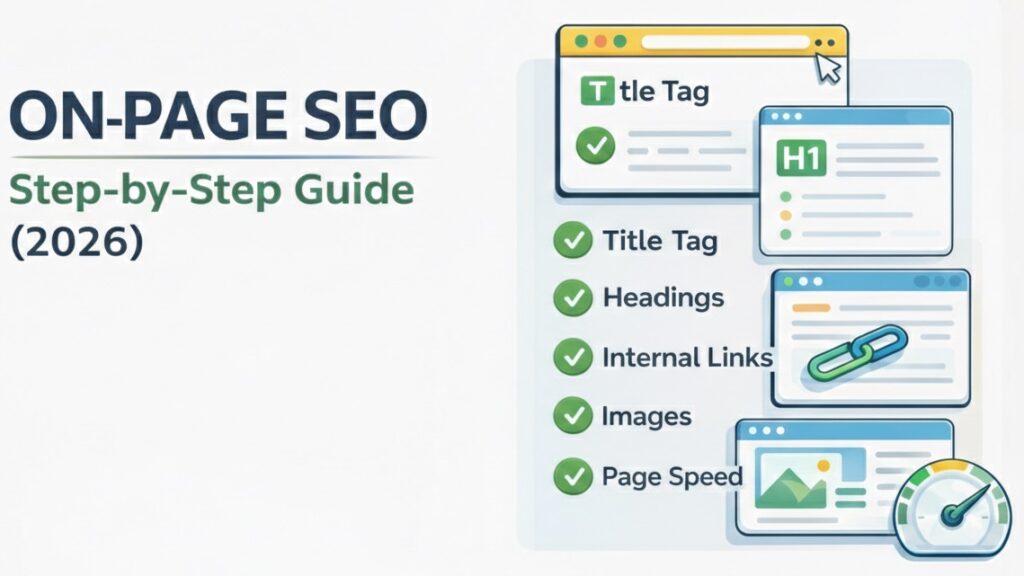
What Is On-Page SEO?
On-page SEO refers to optimizing individual web pages to improve their rankings in search engine results. It includes improving content, titles, headings, internal links, images, and user experience.
Unlike off-page SEO, which focuses on backlinks, on-page SEO is completely under your control.
If you want a deeper explanation, you can read my detailed guide on understanding on-page SEO basics.
Why Is On-Page SEO Important?
On-page SEO helps search engines understand your content clearly. When your page is properly optimized:
- Google can easily crawl your website.
- Your content matches search intent.
- Users stay longer on your page.
- Rankings improve over time.
Without proper on-page optimization, even good content may fail to rank. You can also review Google’s official guidelines in the Google Search Essentials documentation.
Step-by-Step On-Page SEO Checklist for Beginners
1. Use Your Main Keyword in the Title
Your focus keyword should appear naturally in your title.
Example: “On-Page SEO for Beginners”
2. Optimize Your URL
Keep it short and clean:
Good Practice: /on-page-seo-for-beginners/
Common Mistake: /post123?id=567
3. Write High-Quality Content
Your content should:
- Be helpful
- Answer user questions
- Be at least 1000 words
- Include related keywords naturally
4. Use Proper Headings (H1, H2, H3)
Headings improve readability and help Google understand your structure.
5. Optimize Images
Always:
- Compress images
- Add descriptive ALT text
- Use relevant file names
Example ALT text: “On-Page SEO Checklist for beginners”
6. Internal Linking
Link to other relevant pages on your website. This improves SEO and keeps users engaged.
7. Why Does Internal Linking Matter for SEO?
Internal linking is a fundamental aspect of on-page SEO for beginners. It enables search engines to interpret your website layout and identify key pages. Linking related posts transfers authority and supports improved rankings
Good internal linking also improves user experience. Visitors can easily navigate to related topics, which increases time on site and reduces bounce rate. Always use descriptive anchor text instead of generic phrases like “click here.” A smart internal linking strategy strengthens your SEO foundation and makes your content more valuable.
8. Improve Page Speed
Fast-loading websites tend to rank better. Use caching, lightweight themes, and optimized images to improve performance.
Common On-Page SEO Mistakes
Beginners often make the following mistakes:
- Stuff keywords unnaturally
- Ignore meta descriptions
- Use duplicate titles
- Forget internal linking
Avoiding these mistakes can quickly improve rankings.
Final Thoughts
On-page SEO is the foundation of every successful website. If you focus on proper structure, high-quality content, and user experience, rankings will improve gradually.
If you’re interested in my personal experience learning SEO, check out my SEO learning journey day one.
Start small, stay consistent, and keep learning. This complete guide to on-page SEO for beginners gives you a solid foundation to improve your website rankings.
Frequently Asked Questions
Below are some common questions about on-page SEO for beginners.
1. What is the difference between on-page and off-page SEO?
On-page SEO focuses on optimizing content and structure inside your website, while off-page SEO involves backlinks and external signals.
2. How long does on-page SEO take to show results?
On-page SEO improvements may start showing results within a few weeks, but significant ranking improvements usually take 1–3 months.
3. Is on-page SEO enough to rank on Google?
On-page SEO is essential, but combining it with quality backlinks and technical SEO gives better long-term results.